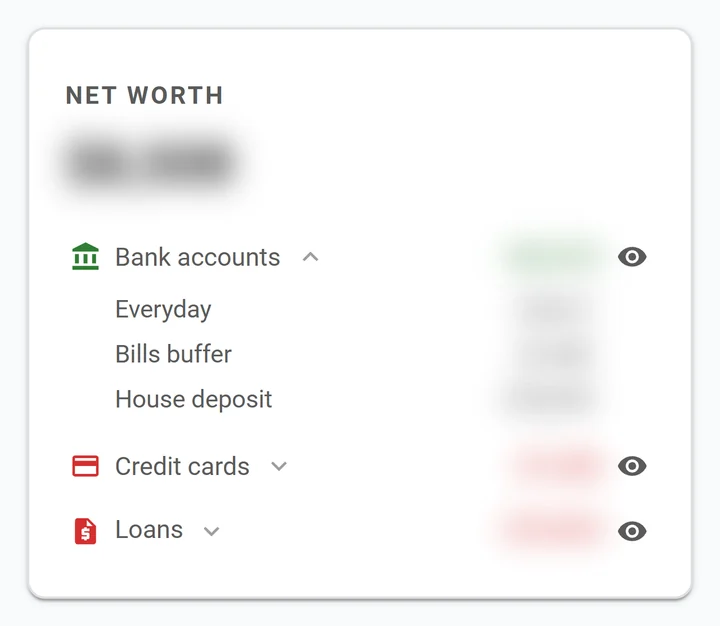
Connect a bank feed and the net worth card in the sidebar lists each account under Bank accounts, Credit cards, Loans or Investments, with each group’s total. Tap the eye to leave a group out, and turn on Discreet mode when someone is looking over your shoulder. Discreet mode is on every plan. The net worth card is on Premium, ELITE+ and AUTO+, with a bank feed connected.
Your everyday account, the savings account, two cards and the car loan each live behind a different login. Adding them up in your head is slow, and a single total hides the part you care about: a card you clear every month is not the same as a loan you are paying down.
Fin reads the balance each bank feed reports and sorts the account by its kind. There is nothing to set up.
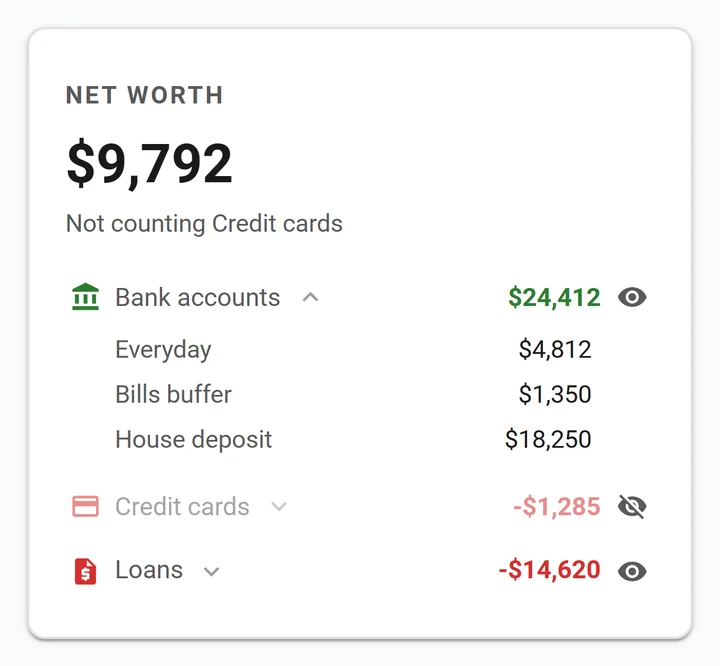
Bank accounts, Credit cards, Loans, and any investment account your bank feed reports, each with its own total. Open a group to see the accounts in it and each balance.
Tap the eye beside a group to leave it out of the headline. The card says what it is not counting, for example “Not counting Credit cards”, and remembers your choice on that device.
The headline and every group total are worked out from the same list of accounts, so the numbers you see agree with each other, and the same money is never counted twice.
The lens in the top bar blurs amounts. Choose Income, Expenses or Savings, or hide all. While anything is hidden, the net worth figure, each group total and each account balance blur too, here and on Connectors.
Discreet mode stays on as you move around the app and after a reload, until you turn it off.
Three switches, so you can blur only what you want hidden, or everything with Hide all.
A total next to a visible side gives the hidden side away, so the net worth card blurs whenever any of the three is hidden.
Balances on the net worth card, on each connection’s row and in its account details on Connectors, Wise currency balances, and accounting ledger accounts.
Amounts on the dashboard, All Transactions, Bills, Upcoming, Expected income, budgets, tax pages and Insight+ blur by the same three switches.
Tom is on a video call with his accountant and needs to share 2Fin to find one invoice. Before he shares, he taps the lens in the top bar and picks Hide all.
The transactions are still there to scroll through and the invoice is easy to find, but the net worth card, his account balances and his budget read as a soft blur. When the call ends, one tap brings the figures back.
Mei · nurse in Brisbane
Clears her credit card every month, so she leaves Credit cards out of the headline and watches her savings and the car loan instead.
Tom · consultant in Leeds
Opens 2Fin on a client’s screen to check a receipt. Discreet mode is already on, so his balances stay blurred while he works.
Aroha and Sam · saving for a house in Wellington
Open the Loans group once a month to see the car loan come down, next to the savings growing in Bank accounts.
Accounts at a glance, answered
Start free, connect a bank feed, and see your accounts grouped in one card.